Story apps
Namesake vs Oscar Stories
Namesake and Oscar Stories both make stories starring your child, turn them into audio, and let them visit worlds such as The Jungle Book. Oscar also has story videos. Namesake is built around choosing a story together, checking it, then playing it after lights-out. Namesake also connects to Alexa and Yoto, so the stories can play on the devices you already use at bedtime.
We make Namesake. Details about the other app come from the sources linked below. We haven't tested its paid features.
What each app does
| Feature | Namesake | Oscar Stories |
|---|---|---|
| Your child in the story | Saved profiles, familiar companions and your own story idea. | Saved profiles, chosen characters and professions, plus family and friends. |
| Classic story worlds | Your child can visit The Jungle Book, Alice in Wonderland and other classic worlds. | Personalised adventures in The Jungle Book, Alice in Wonderland and other classics. |
| Audio | Narrated stories you can play with the phone screen off. | Stories can be turned into narrated audiobooks. |
| Alexa / Echo | Setup and pairing in Namesake. Play the stories you've selected in your Namesake queue on your Echo. | Its App Store listing doesn't mention an Alexa connection. |
| Google Cast | Cast stories and queues from the Android app to compatible Google Cast devices. Not available in the iPhone app. | Its App Store listing doesn't mention Google Cast. |
| Yoto | Connect your Yoto account, send stories and manage their order in Namesake. Link the playlist to a Make Your Own card in the Yoto app. | Its App Store listing doesn't say you can send stories to Yoto. |
| Toniebox / Creative-Tonies | Currently experimental. Send stories to a Creative-Tonie, then sync it with your Toniebox. | Its App Store listing doesn't mention sending stories to a Creative-Tonie. |
| Pictures and video | An illustrated cover for each story, kept on the child's shelf. | Illustrated stories and story videos. |
| Languages | English, French, German, Spanish, Italian and Dutch. | Multiple story languages. Check that the language you need includes narration. |
| Before listening | Read the summary or full story, make edits, then approve it for narration. | We haven't checked whether you can review and edit the story before it's read aloud. |
These rows cover connections built into the app. An app may still play through Bluetooth or let you move downloaded audio yourself.
Playing stories away from the phone
You can choose tonight's stories on your phone, then listen on an Echo or send them to your child's Yoto card. Namesake handles the Alexa pairing and story queue, and lets you upload and reorder Yoto stories in the app. Google Cast works from Android. Toniebox support uses Creative-Tonies and is currently experimental.
Stories to watch or stories to listen to
Oscar has illustrated stories, audiobooks and videos of the stories. If your child likes to watch as well as listen, that gives you another way to use it. Namesake keeps the focus on a story you can play after lights-out. You can read the text and make changes before it is narrated.
Classic worlds are available in both
Both apps can put your child in The Jungle Book or Alice in Wonderland. In Namesake you can also start from their own idea, with the companions you've saved. A favourite toy can come along, and you don't have to describe it again each time.
What to try before paying
Oscar's FAQ says the first stories are free, with paid stories afterwards. Namesake has free and paid tiers with monthly story allowances. Check the current limits in each app. Then try a story at your child's age and listen in the language you'll use at bedtime. We haven't compared the two apps' recordings closely enough to recommend one voice over the other.
Questions parents ask
Can Namesake put my child in The Jungle Book?
Yes. Namesake supports stories where your child visits classic worlds, including The Jungle Book and Alice in Wonderland. Oscar Stories has this kind of story too.
Does Oscar Stories have audio?
Yes. It can turn generated stories into audiobooks. It also has illustrated stories and videos.
Why choose Namesake over Oscar Stories?
Namesake may suit you if you want to read and edit the story before narration, then keep favourites on your child's shelf. Oscar also makes personalised audiobooks and classic-world stories, and adds story videos. Try the audio in both before choosing.
Can I play Namesake stories on Alexa, Yoto, Google Cast or Toniebox?
Yes. Namesake has Alexa setup and story queues, plus a Yoto connection for uploading and managing stories. You link the Yoto playlist to a Make Your Own card in the Yoto app. Google Cast is available on Android only. Toniebox support uses Creative-Tonies and is currently experimental.
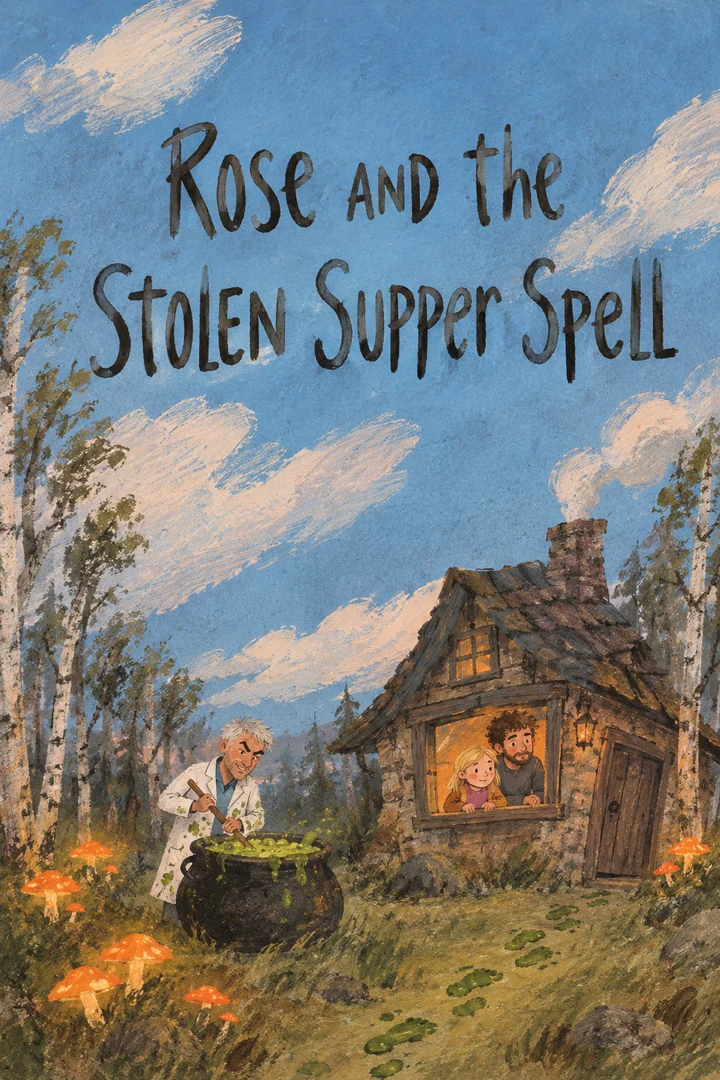
From the Namesake shelf
Play a Namesake story
Rose and the Stolen Supper Spell. Play the full recording.
Sources
Current US App Store listing for Oscar Stories for Children · Oscar official features · Oscar official FAQ.
56 ratings in the US App Store when we checked on 26 October 2026. This counts star ratings, not written reviews. Numbers and purchase terms can change.
New Namesake stories need an internet connection. Download the audio beforehand if you want to listen offline.